> For the complete documentation index, see [llms.txt](https://help.dollarlabs.io/llms.txt). Markdown versions of documentation pages are available by appending `.md` to page URLs; this page is available as [Markdown](https://help.dollarlabs.io/dollarlabs-ultimate-discounts/offer-engine-formerly-price-lists/show-the-discounted-price-on-the-product-page.md).
# Show the discounted price on the Product page
We hear your pain, and we've made this bit drag and drop through our app block! This article walks you through how you can get this setup.
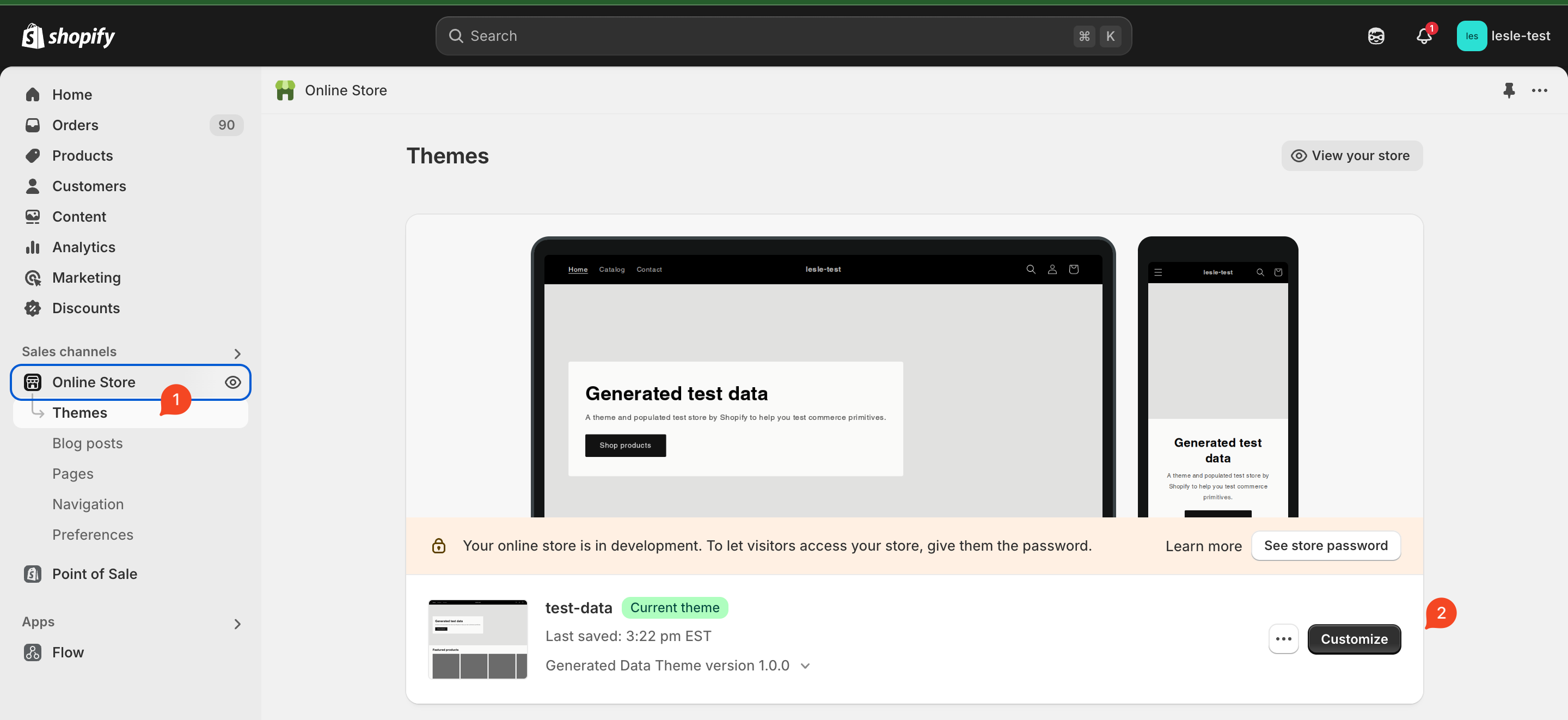
1. Head to your Shopify admin > Online store > Customise (do this on a duplicate theme first)
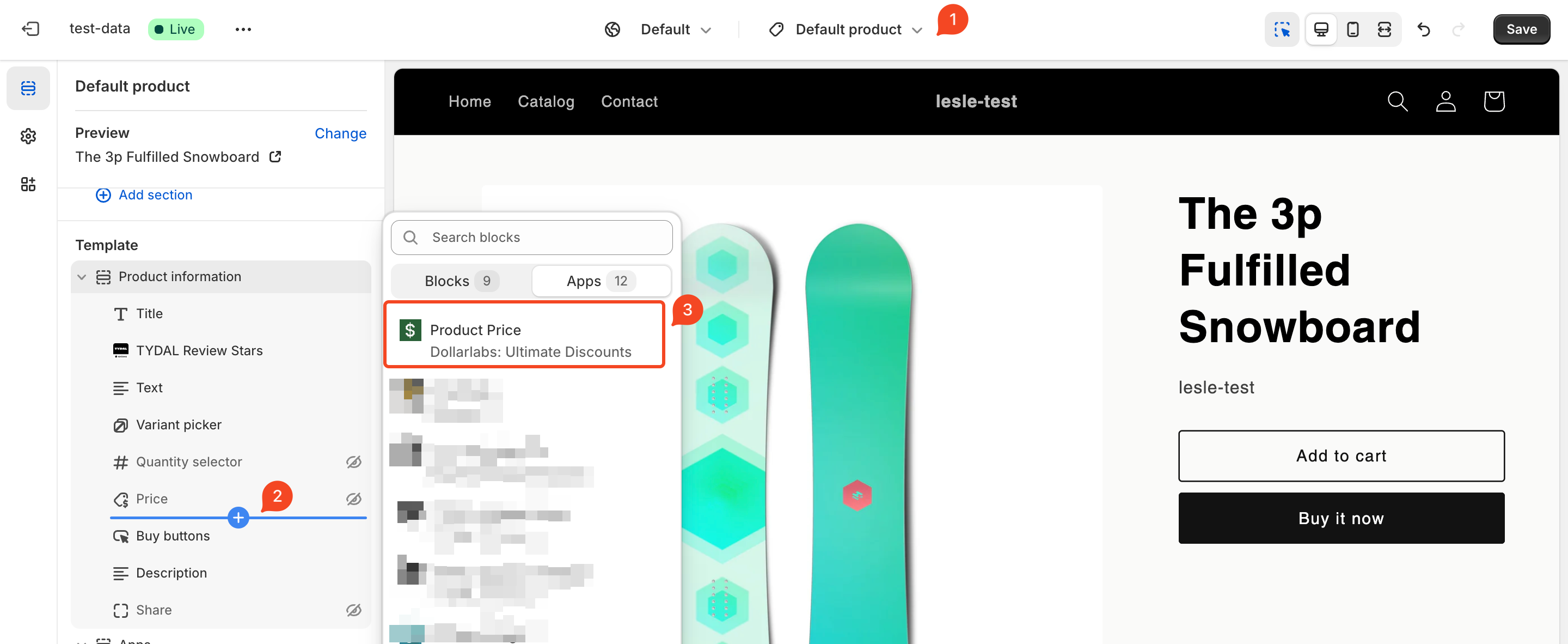
2. Then head over to the product template > add block > Product Price block by Dollarlabs (disable your theme's default price selector to hide it )
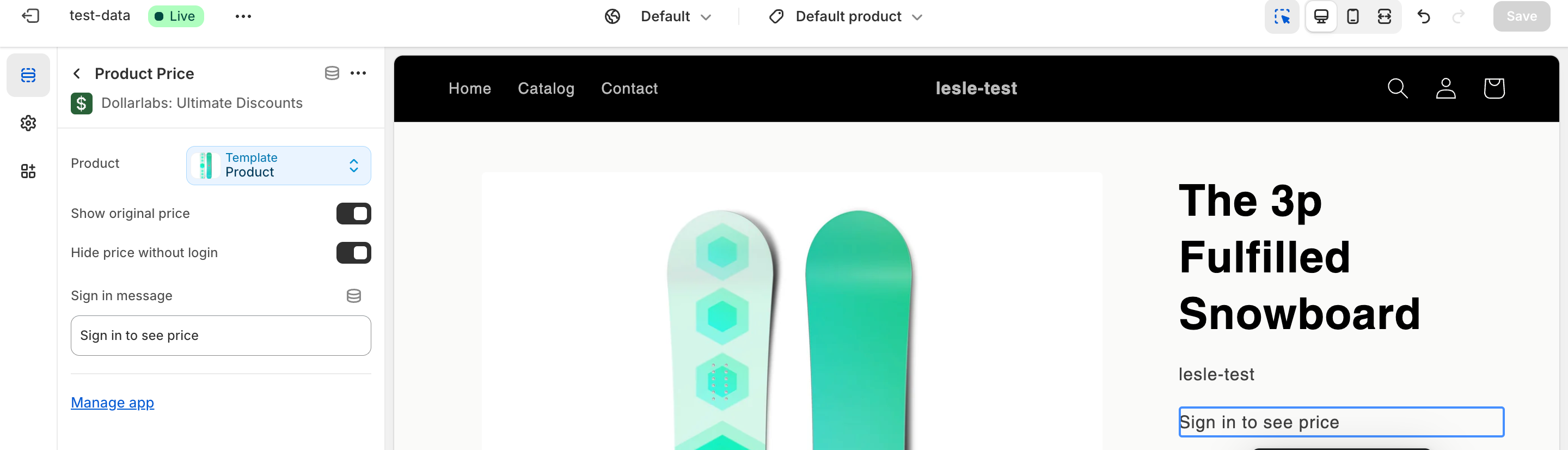
3. Click on the app block that you just added to configure the functionality.
### Options in the app block
1. Show original price - If enabled, show's the product's original price as a strike-through price. Else only shows the discounted price if applicable for that product
2. Hide price without login - If enabled and user is not signed in it will show the message (and hide the price) to the user.