> For the complete documentation index, see [llms.txt](https://help.dollarlabs.io/llms.txt). Markdown versions of documentation pages are available by appending `.md` to page URLs; this page is available as [Markdown](https://help.dollarlabs.io/dollarlabs-ultimate-discounts/examples/discount-every-item-except-the-first-item.md).
# Discount every item except the first item
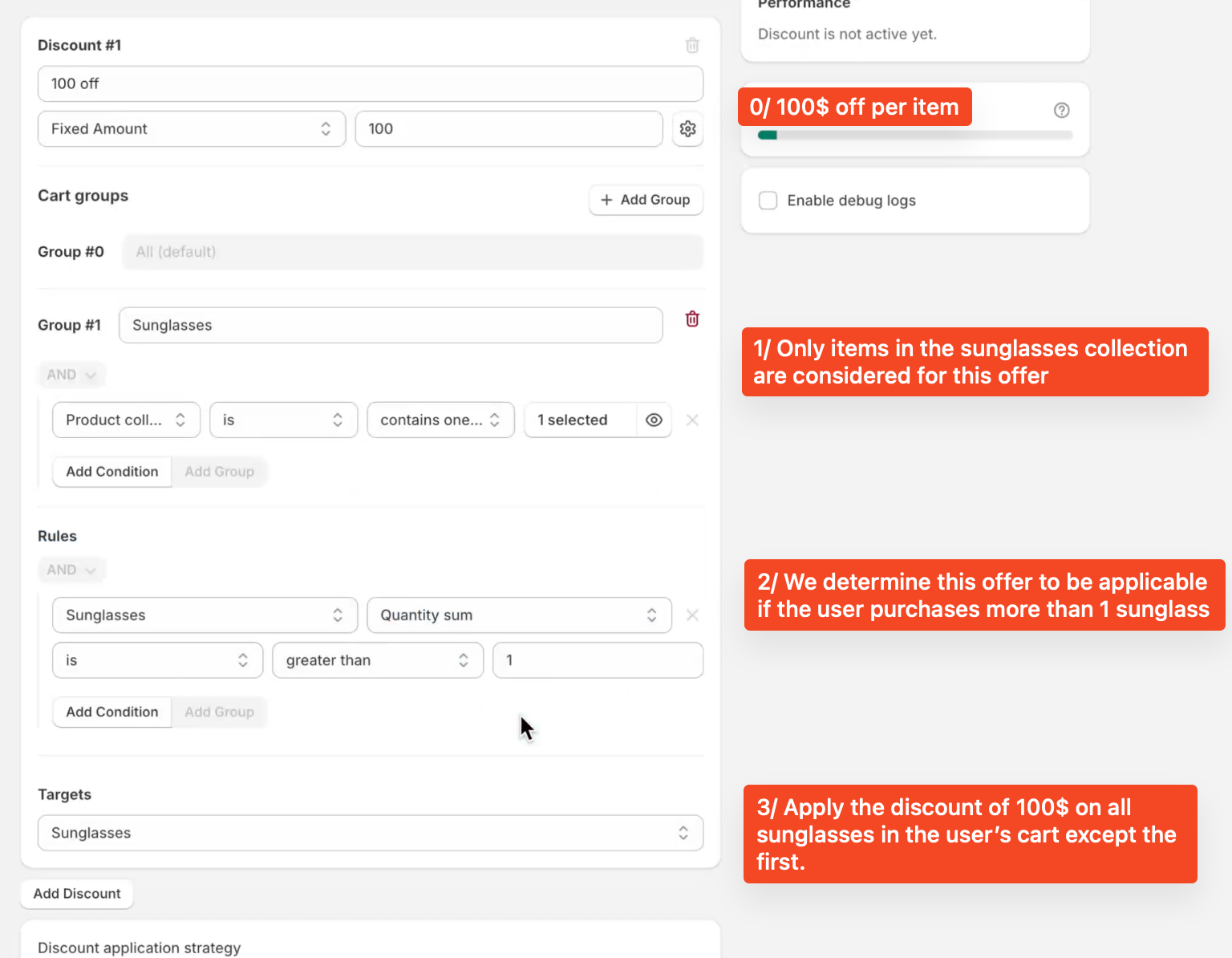
This guide will walk you through how to create a discount that rewards customers when they purchase multiple pairs of sunglasses. With this setup, customers get **$100 off each additional item after the first one**, making it a great way to boost order size and encourage repeat purchases.
{% embed url="" %}
***
### 🛍️ What This Discount Does
We're going to create a discount that:
1. Applies **only to sunglasses**.
2. Kicks in **when a customer buys more than 1 pair**.
3. Applies a **$100 discount to every item after the first**.
***
### Step 1: Create the Discount
Start by setting up a fixed amount discount:
* **Discount Name:** `100 off`
* **Type:** `Fixed Amount`
* **Value:** `100`
This means $100 will be taken off qualifying items when the discount conditions are met.
***
### Step 2: Choose Eligible Products
Under **Cart Groups**, create a group called `Sunglasses`.
* Set the condition to: **Product collection → is → Sunglasses**
This ensures that only items in your sunglasses collection are considered for the offer.
{% hint style="info" %}
🧠 *Pro Tip:* Keeping the discount collection-specific helps you avoid accidentally discounting other products.
{% endhint %}
***
### Step 3: Set the Purchase Requirement
Under **Rules**, set:
* **Sunglasses → Quantity sum → is greater than → 1**
This ensures that the discount will only apply when a customer adds more than one pair of sunglasses to their cart.
***
### Step 4: Set the Discount Target
Under **Targets**, choose:
* **Sunglasses**
This tells the system to apply the discount only to sunglasses in the cart.
***
### Step 5: Apply the Discount to All But One Item
Go to the **Maximum Quantity** section and enter:
* **Limit to:** `-1 items`
This setting means the discount will apply to **all items except one**—perfect for applying the discount to every item after the first.
📌 *Note:* A negative value like `-1` means "exclude this number of items from the discount."
***
#### 💡 Example: How It Works
If a customer adds **3 quantity of sunglasses** to their cart:
* 1st item: Full price
* 2nd item: $100 off
* 3rd item: $100 off
***
#### ✅ Final Steps
* Make sure the discount is **active**.
* Test it in your store to confirm it works correctly for 2 or more sunglasses.
***
By offering a strong discount on extra items, you're giving shoppers a reason to buy more—boosting both sales and customer satisfaction!
Need help? Reach out to our support team anytime! (or) .