> For the complete documentation index, see [llms.txt](https://help.dollarlabs.io/llms.txt). Markdown versions of documentation pages are available by appending `.md` to page URLs; this page is available as [Markdown](https://help.dollarlabs.io/dollarlabs-b2b-custom-pricing/troubleshooting.md).

# Troubleshooting

Find your symptom. Most problems are one of three things: a tag that does not match, a theme block that was never added, or the price list being switched off.

## The one diagnostic that matters

Before anything else, add the product to a cart as the affected customer and look at the cart total.

<table><thead><tr><th width="290">Result</th><th>Where the problem is</th></tr></thead><tbody><tr><td>Cart is <strong>wrong</strong></td><td>Pricing, tags or rules. Start with "Pricing problems" below.</td></tr><tr><td>Cart is <strong>right</strong>, product page is wrong</td><td>Display only. Skip to "Display problems".</td></tr></tbody></table>

This one check saves most of the time people spend on the wrong half of the product.

## Pricing problems

### A tagged customer sees retail prices

In order of likelihood:

1. **Tag spelling.** Tags are case-sensitive and whitespace-sensitive. `Wholesale` ≠ `wholesale`. Open the customer in Shopify admin and compare their tag to your column header character by character.
2. **The price list is disabled.** Check the status switch on the home page.
3. **No pricing on that variant.** A tag can have prices on some variants and not others. Find the variant in the grid and look at that tag's cell.
4. **A rule is gating it.** If the tag or the price list has [payment or delivery rules](/dollarlabs-b2b-custom-pricing/price-list/payment-and-delivery-rules.md), the cart may not satisfy them. Rules fail silently.
5. **The customer is not signed in.** Pricing depends on the customer, so it only applies to a signed-in session.

### The price is wrong, but not retail

The customer almost certainly has **a second tag with pricing**. [The lowest effective price wins](/dollarlabs-b2b-custom-pricing/getting-started/how-pricing-works.md), so any other priced tag can undercut the one you were looking at.

Check every tag on the customer, and check the **Default** column — pricing there applies to everyone.

### Checkout rejects a quantity

A [case multiple](/dollarlabs-b2b-custom-pricing/getting-started/volume-tiers-and-case-multiples.md) is set and the quantity is not a multiple of it.

* To tell buyers before checkout, add the **Validation Message** block.
* To allow leftover units, use [loose unit pricing](/dollarlabs-b2b-custom-pricing/getting-started/progressive-case-multiples-and-loose-unit-pricing.md).

### Tiers are not kicking in

Check the tier's **minimum quantity** against the quantity of that variant in the cart. Tiers are per variant, so 6 of one size and 6 of another do not combine into 12.

### The wholesale customer also used a coupon

That is [discount combinations](/dollarlabs-b2b-custom-pricing/price-list/price-list-settings.md). Untick product and order discounts if wholesale pricing should stand alone.

## Display problems

*Cart is right, but pre-cart prices are wrong.*

### The product page shows retail

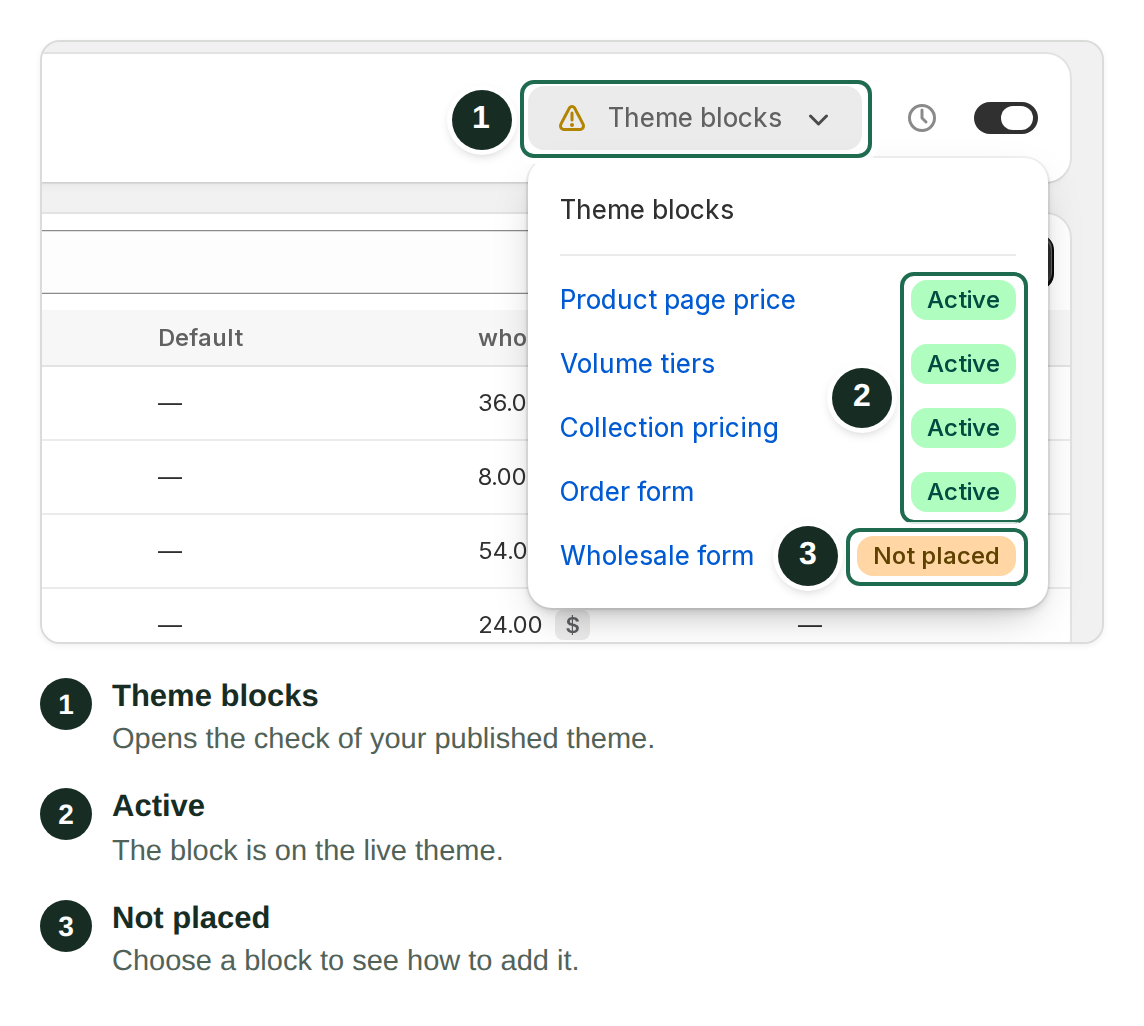
The **Product Price V2** block is missing, or is on a different template than the product uses. See [Product page](/dollarlabs-b2b-custom-pricing/show-final-prices-on/product-page.md).

### Two prices show, or the price flickers

Your theme's own price is rendering alongside ours. Hide the theme's native price block.

If you migrated from another pricing app, look for its leftover theme code — see [removing Bold's theme code](/dollarlabs-b2b-custom-pricing/migrating-from-bold-custom-pricing.md#removing-bolds-theme-code).

### Collection pages show retail

The **Collection Pricing** app embed is not enabled. Everything else on that page depends on it. See [Collection page](/dollarlabs-b2b-custom-pricing/show-final-prices-on/collection-page.md).

### Some collection cards update, others don't

The automatic card rewrite could not find the price in those layouts. Use the snippet hook on the partial that draws them.

### The volume tier table is empty

That customer's tag has no tiers on that variant, or the price list is disabled. Logged-out visitors see the sign-in message instead.

### A block is missing from the theme editor

* You are editing a different template than the one assigned to the product.
* You are editing a different theme than the one you are previewing.
* The theme is not Online Store 2.0 — contact support.

## Import problems

### The import ran but nothing changed

Number formatting. Values must be plain decimals — `9.50`, not `$9.50` or `9,50`. Anything unparseable is skipped rather than applied.

Spreadsheets add currency symbols and thousands separators on their own. Format pricing columns as plain text, and check the raw CSV in a text editor.

### The import wiped pricing

Blank cells **erase**. A file with tag columns present but empty clears those tags.

Restore from your last export. Always export, edit in place, and re-import.

### Tiers or case multiples disappeared

A bare number **replaces the whole cell**. Writing `9` over `1:10;12:9;c:12` leaves a flat price. Write the full cell string.

### Some rows failed

Open [Jobs & history](/dollarlabs-b2b-custom-pricing/price-list/jobs-and-history.md), download the error CSV, fix those rows, and re-import **only** them.

## Wholesale form problems

### Approved, but the customer still sees retail prices

The tag applied on approval does not match the price list column exactly. This is the most common form issue — see [Approvals & automations](/dollarlabs-b2b-custom-pricing/wholesale-forms/approvals-and-automations.md).

### No customer was created on approval

**Create customer** is off for the approve leg, or the form's [primary field](/dollarlabs-b2b-custom-pricing/wholesale-forms/build-your-form.md#the-primary-field) is not an email field.

### Conditional logic disappeared

The form was opened and saved in the **basic editor**, which cannot represent conditions. Rebuild them in the flow builder and edit that form only there.

### The page says "Form Not Found"

Wrong Form ID in the theme block, often with a trailing space. Re-copy it.

## Setup problems

### Setup never finishes

The initial catalog build can take several minutes on a large store. If it fails, use **Retry setup** on the home page. If retrying does not clear it, contact support rather than retrying repeatedly.

### An API call returns 409

Another job is running for your shop — often a merchant importing a CSV. Wait and retry. See [Pricing API](/dollarlabs-b2b-custom-pricing/developer-tools/api-for-bulk-update-pricing.md).

## Still stuck?

Contact us through in-app chat or <support@dollarlabs.io>. Include:

* your store URL
* the email of an affected customer, and their tags
* a product or variant that shows the problem
* whether the **cart** is right or wrong
* the job ID, for import problems

That last one about the cart is the single most useful thing you can tell us.