> For the complete documentation index, see [llms.txt](https://help.dollarlabs.io/llms.txt). Markdown versions of documentation pages are available by appending `.md` to page URLs; this page is available as [Markdown](https://help.dollarlabs.io/dollarlabs-b2b-custom-pricing/show-final-prices-on.md).

# Show final prices on

Dollarlabs applies pricing as Shopify discount functions, which take effect in the **cart and at checkout**. That works whether or not you touch your theme.

Everything before the cart — product pages, collection pages, search results — renders from your theme, using Shopify's catalog price. Until you add these blocks, a wholesale buyer browsing your store sees retail prices and only discovers their real price at the cart.

That gap is the single most common "the app isn't working" report, and it is a display problem, not a pricing one.

## What to add

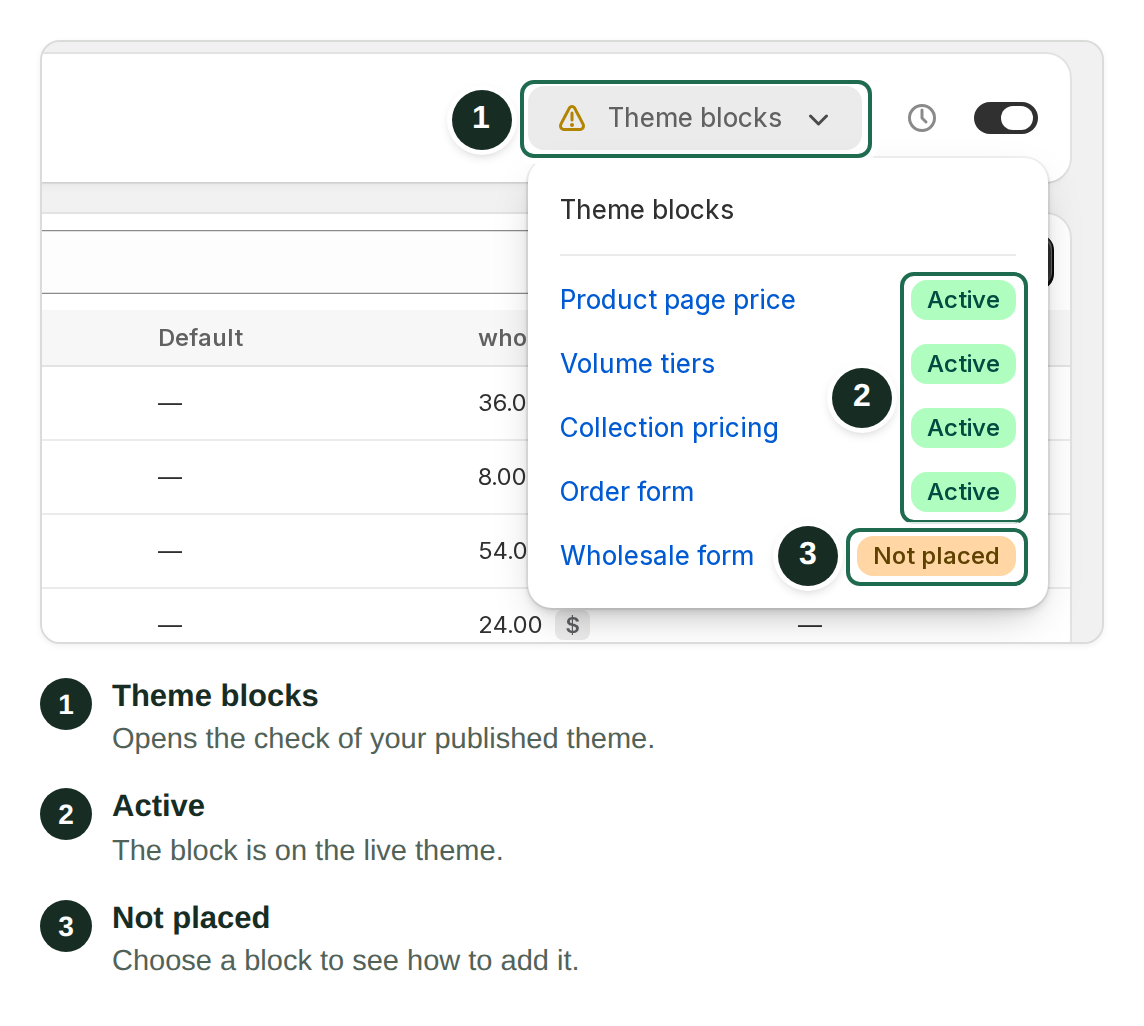
<table><thead><tr><th width="230">Block</th><th width="150">Where</th><th>What it does</th></tr></thead><tbody><tr><td><a href="/pages/hXOkti7C2eCcmo2mNthz"><strong>Product Price V2</strong></a></td><td>Product template</td><td>Shows the buyer's price on the product page, with optional strike-through original, currency code and login gating.</td></tr><tr><td><a href="/pages/AbnGRXmoDQIWn8v25iR6"><strong>Collection Pricing</strong></a></td><td>App embed</td><td>Corrects prices on collection, search and any other product-card surface.</td></tr><tr><td><strong>Volume Tiers</strong></td><td>Product template</td><td>The pricing ladder as a table. See <a href="/pages/s5fgd9clWB7JKTncibBz">Volume tiers &#x26; case multiples</a>.</td></tr><tr><td><strong>Validation Message</strong></td><td>Product template</td><td>Explains case-quantity rules before the buyer reaches checkout.</td></tr><tr><td><a href="/pages/Splrx9JNChpp17rfrhAe"><strong>Order Form</strong></a></td><td>A page template</td><td>A bulk-ordering table — search by SKU, set quantities, add everything at once.</td></tr></tbody></table>

At minimum, add **Product Price V2** and **Collection Pricing**. Add the other two if you use volume tiers or case multiples.

## Adding a block

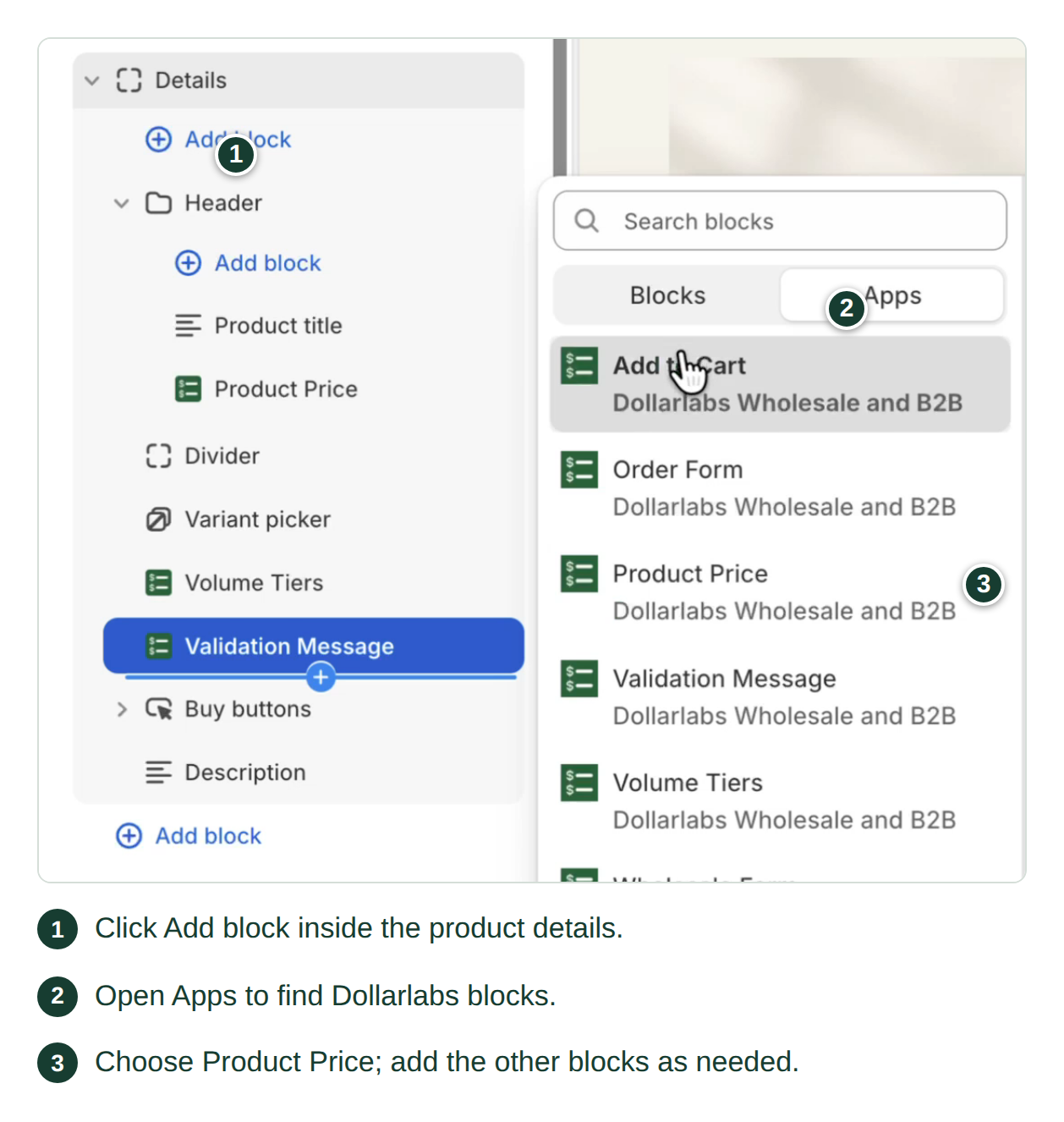
1. **Online Store → Themes → Customize**.
2. Pick the template you want — usually **Product → Default product template**.
3. **Add block → Apps**, and choose the Dollarlabs block.
4. Position it, configure it, **Save**.

App embeds (like Collection Pricing) are different: open the **App embeds** panel in the theme editor sidebar and toggle them on.

{% hint style="info" %}
Blocks appear only on Online Store 2.0 themes. On an older theme, or if you cannot see the block, email <support@dollarlabs.io>.
{% endhint %}

## Test on a duplicate theme

Duplicate your theme, set the blocks up there, and preview with a real tagged customer before publishing. Theme changes are live the moment you save on a published theme.

## How to tell display from pricing

When something looks wrong, this one check tells you which half is broken:

* **Cart wrong** → a pricing, tag or [rules](/dollarlabs-b2b-custom-pricing/price-list/payment-and-delivery-rules.md) problem. The blocks cannot fix it.
* **Cart right, product page wrong** → a display problem. You are in the right section.

See [Troubleshooting](/dollarlabs-b2b-custom-pricing/troubleshooting.md) for the full list.