> For the complete documentation index, see [llms.txt](https://help.dollarlabs.io/llms.txt). Markdown versions of documentation pages are available by appending `.md` to page URLs; this page is available as [Markdown](https://help.dollarlabs.io/dollarlabs-b2b-custom-pricing/developer-tools/api-keys.md).
# API keys
Create, restrict and revoke the credentials your systems use to talk to the Pricing and Quotes APIs.
Every API request authenticates with a **key** and a **signing secret**.
Open **API Keys** in the app. A key works for both the [Pricing API](/dollarlabs-b2b-custom-pricing/developer-tools/api-for-bulk-update-pricing.md) and the [Quotes API](/dollarlabs-b2b-custom-pricing/developer-tools/quotes-api.md); there are no separate scopes.
## Creating a key
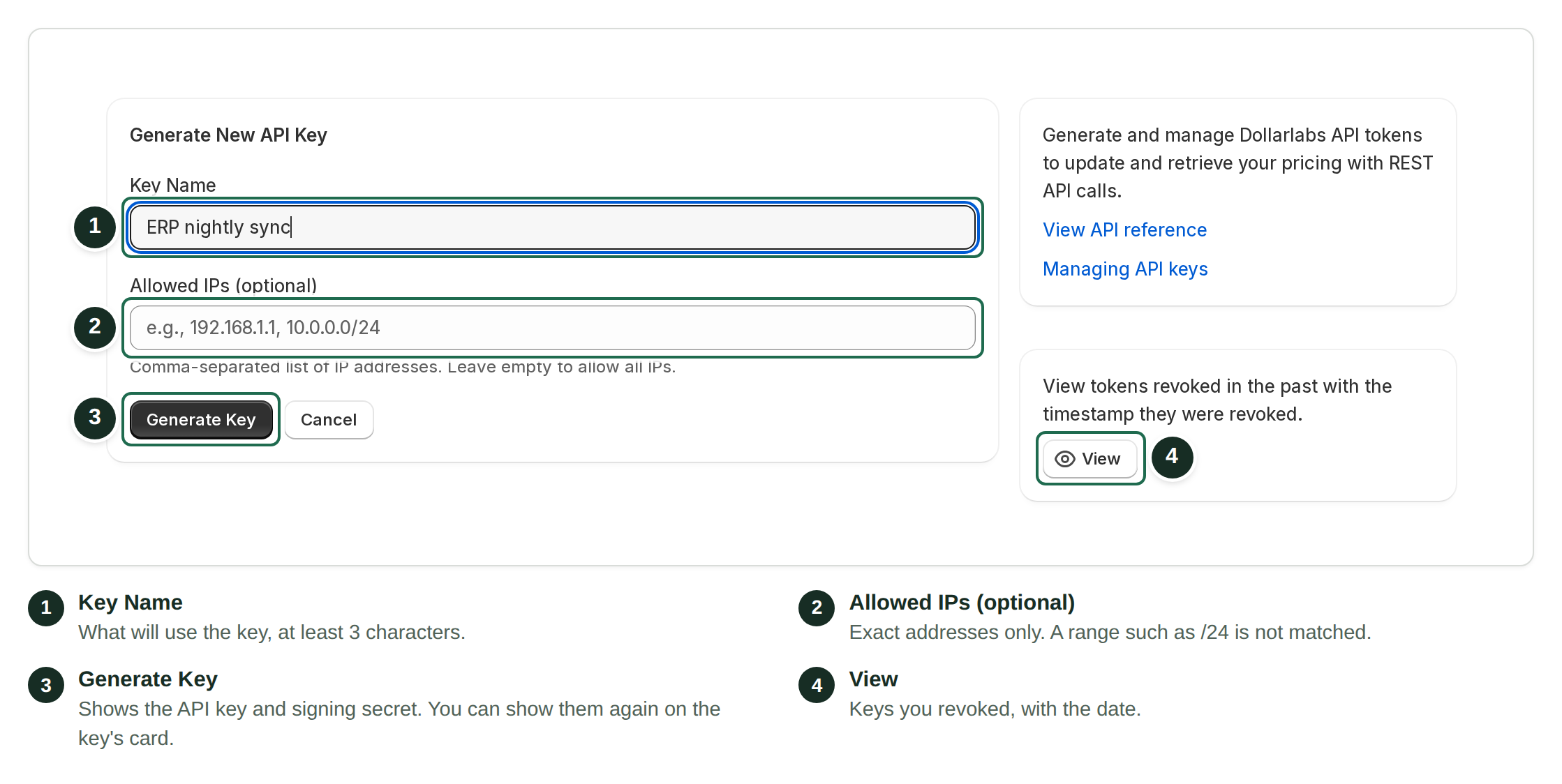
1. Open **API Keys** in the app menu. The page is called **API tokens**.
2. Choose **Generate**. It shows only when no key is active; see [Good practice](#good-practice).
3. In **Key Name**, describe what will use the key — `ERP nightly sync`, for example. Use at least 3 characters and a name you can recognize later.
4. Optionally fill in **Allowed IPs (optional)** with exact addresses, comma-separated. See [Restricting by IP](#restricting-by-ip).
5. Choose **Generate Key**.
Name the key, optionally list exact IP addresses, then generate it.
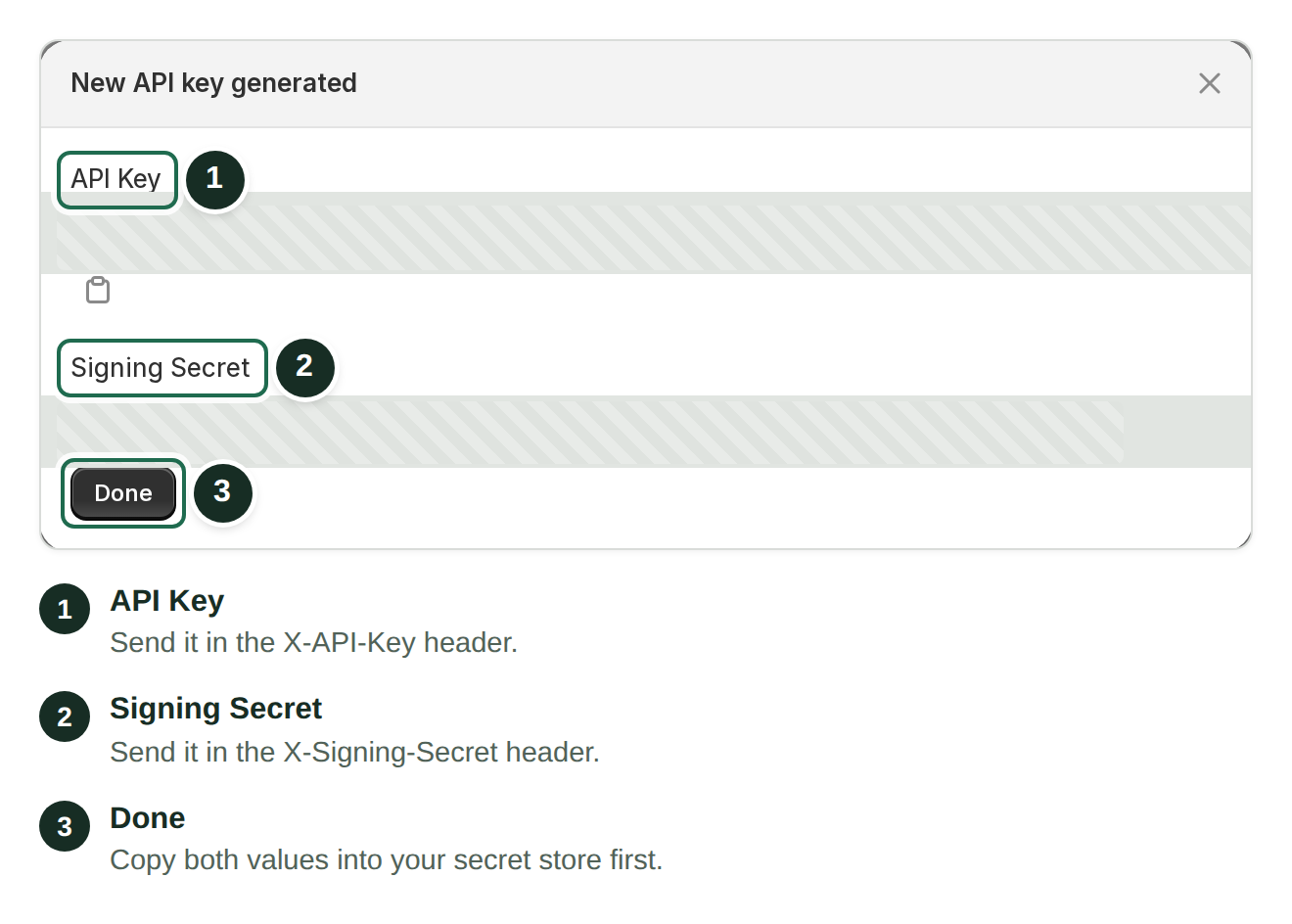
The **New API key generated** dialog shows two values:
| Value | Prefix | Header |
| -------------- | ------ | ------------------ |
| API Key | `dlb_` | `X-API-Key` |
| Signing Secret | `sec_` | `X-Signing-Secret` |
Copy both values into your secret store before you close this dialog.
Both are required on every request.
{% hint style="danger" %}
**Keep both credentials in your secret store.** You can also show and copy the **API Token** and **Signing Secret** again on the active key's card. Some legacy keys have no retrievable signing secret (the card says "Not available for legacy keys"); replace those keys if you no longer have their credentials.
{% endhint %}
## Restricting by IP
**Allowed IPs** limits a key to requests that come from the exact addresses you list. If your ERP has a static outbound IP, add it to limit where the key can be used. You set the list when you generate the key; to change it, generate a new key.
Leave it empty to accept requests from any address.
{% hint style="warning" %}
**List exact IP addresses only.** Ranges such as `10.0.0.0/24` are not matched — even though the field's example shows one — and every request is refused with `403 IP not allowed for this API key`. Only add addresses your system really sends from; cloud workers, serverless functions and most CI runners change address.
{% endhint %}
## Revoking
Choose **Revoke** on the key's card and confirm. The key stops working immediately. Revoked keys leave the active list; choose **View** to see them under **Revoked tokens**.
Revoke when:
* a credential may have leaked
* someone with access to it leaves
* an integration is retired
Revocation takes effect at once, so make sure nothing in production is still using the key.
## Good practice
* **Never commit credentials.** Environment variables or a secret manager.
* **Name the key after what uses it**, so you know what breaks when you revoke it.
{% hint style="warning" %}
**The app shows one active key at a time.** **Generate** appears only when no key is active. To replace a key, revoke it, generate the new one and update your system straight away — requests fail between those two steps, so do it when no sync is due.
{% endhint %}
## Using them
```bash
curl https://pricelist-app.dollarlabs.io/api/v1/pricing \
-H "X-API-Key: dlb_your_key_here" \
-H "X-Signing-Secret: sec_your_secret_here"
```
Full reference: [Pricing API](/dollarlabs-b2b-custom-pricing/developer-tools/api-for-bulk-update-pricing.md).
## Common problems
**401.**\
The key is wrong or revoked (`Invalid or revoked API key`), the secret is wrong (`Invalid signing secret`), or one of the two headers is missing. Both are required.
**403 `IP not allowed for this API key`.**\
The request came from an address that is not in the key's **Allowed IPs**. Ranges do not match; list exact addresses.
**Works locally, fails in production.**\
Check whether the IP allowlist includes your production egress address, and confirm both credentials are configured there.