> For the complete documentation index, see [llms.txt](https://help.dollarlabs.io/llms.txt). Markdown versions of documentation pages are available by appending `.md` to page URLs; this page is available as [Markdown](https://help.dollarlabs.io/dollarback-store-credit/developer-tools/storefront-window-api.md).

# Storefront window API

For theme developers: DollarBack exposes a JavaScript API on `window.dollarlabs` so custom themes can read cashback data, compute cashback for any product, open the rewards widget from their own controls, re-initialize widgets after AJAX navigation, and react to cart changes. This is the reference for that API.

## Prerequisite: the window-variable embed

The **cashback-window-variable** app embed must be enabled in your theme. It injects the initial data (`common`, `data`, `globals`, `widgetMessages`) before the deferred JS bundle loads. Without it, `window.dollarlabs` is undefined.

{% hint style="warning" %}
If `window.dollarlabs` is `undefined` in the console, check this embed first. It is by far the most common cause. Before debugging anything else, open the theme editor's app embeds and confirm **cashback-window-variable** is on. See [A widget isn't showing on my store](/dollarback-store-credit/troubleshooting-and-faq/widget-isnt-showing.md) for the embed checklist.
{% endhint %}

## Wait for readiness

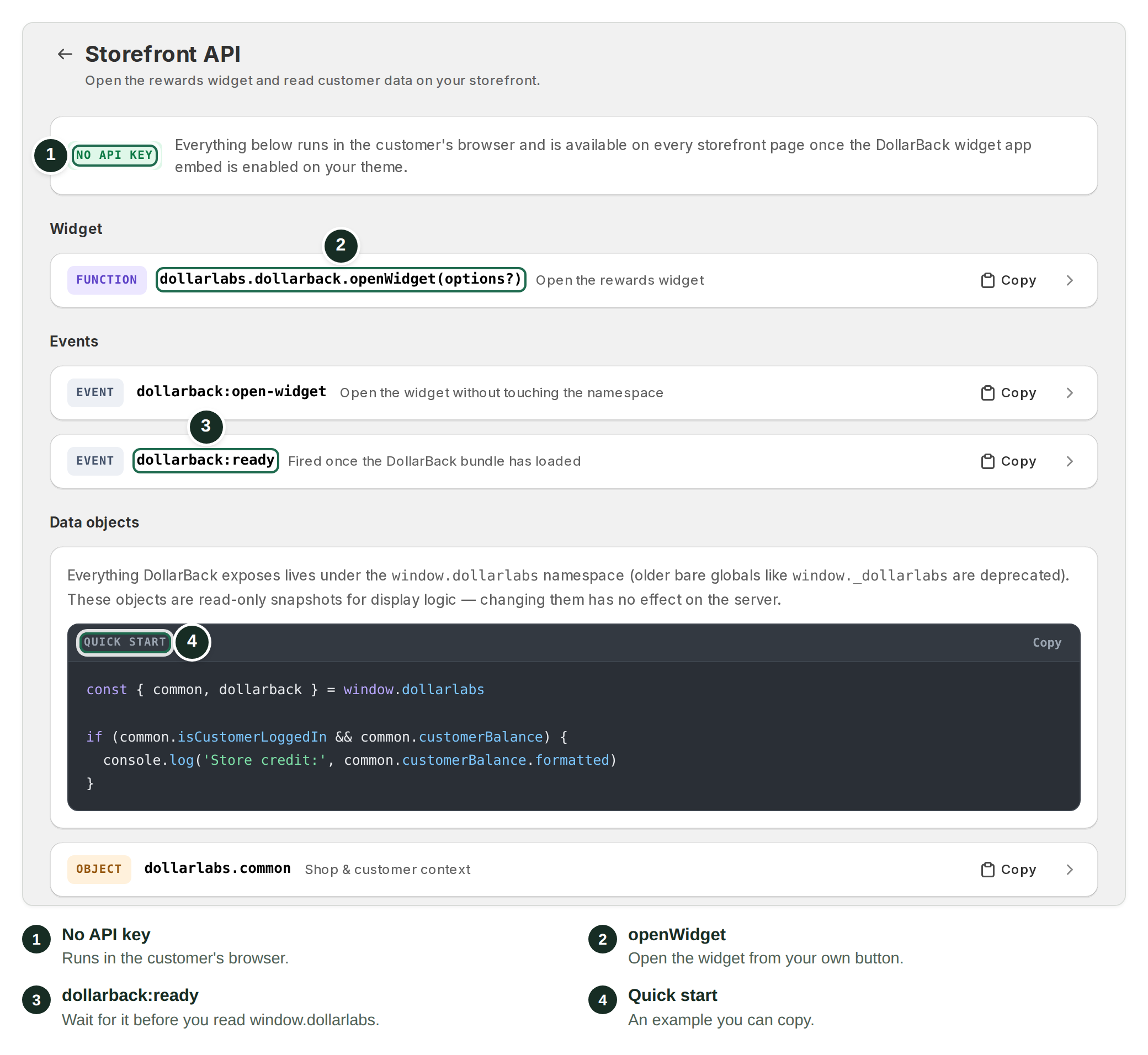
The bundle loads deferred. Read the namespace only after the `dollarback:ready` event fires on `window`:

```js
window.addEventListener("dollarback:ready", () => {
  // window.dollarlabs is fully populated here
});
```

## The namespace map

| Path                                          | Contents                                                                                                                                                                                                                        |
| --------------------------------------------- | ------------------------------------------------------------------------------------------------------------------------------------------------------------------------------------------------------------------------------- |
| `window.dollarlabs.common`                    | Shop and customer context, available on every page: `customerId`, `isCustomerLoggedIn`, `customerFirstName`, `customerTags`, `customerAcceptsMarketing`, `customerReferralCode`, `customerBalance`, `currencyFormat`, `routes`. |
| `window.dollarlabs.dollarback.data`           | Cashback program state: `cashbackEnabled`, the enabled `configurations`, `referralSettings`, tiers, and redemption rules as configured in the app.                                                                              |
| `window.dollarlabs.dollarback.globals`        | The global settings.                                                                                                                                                                                                            |
| `window.dollarlabs.dollarback.widgetMessages` | The widget message templates.                                                                                                                                                                                                   |
| `window.dollarlabs.dollarback.pdpResult`      | Latest cashback calculation for the product page being viewed: `config`, `cashbackAmount`, `formattedCashbackAmount`, `currency`. Set on product pages after the bundle runs.                                                   |
| `window.dollarlabs.dollarback.cartResult`     | Latest calculation for the current cart, including `bestConfig` and order-goal progress (`remainingAmount`).                                                                                                                    |

These objects are read-only display snapshots. Read them, but don't mutate them and don't treat them as an authoritative balance ledger; the app recalculates them itself.

`customerBalance` is `null` when the customer is not logged in or has no credit, so guard before reading it:

```js
const common = window.dollarlabs.common;
if (common.isCustomerLoggedIn && common.customerBalance) {
  console.log("Store credit:", common.customerBalance.formatted);
}
```

## calculate() for cashback on any product

```js
window.dollarlabs.dollarback.calculate(
  productId,             // required
  variantPrice,          // required
  variantId,             // optional
  productCollectionsIds, // optional: the product's collection IDs
  discountCodes          // optional
);
```

Returns the per-variant cashback result, or `null` when nothing applies. This is the same engine the PDP message uses, so a custom theme can render its own cashback line anywhere:

```js
window.addEventListener("dollarback:ready", () => {
  const result = window.dollarlabs.dollarback.calculate(
    8123456789012,   // product ID
    58.0,            // variant price, say you sell a $58 serum
    45123456789012,  // variant ID
    [289123456789]   // collection IDs
  );
  if (result) {
    document.querySelector("#my-cashback-line").textContent =
      `Earn cashback on this purchase`;
  }
});
```

Compare your custom rendering against the stock PDP block's message to confirm the numbers match.

## openWidget() to open the panel

```js
window.dollarlabs.dollarback.openWidget(options?)
```

Opens the floating widget's panel from your own JavaScript, so a header link, an icon, or any custom button can act as the entry point. It requires the **Cashback Widget** app embed to be enabled; the call opens the panel that embed renders.

`options` is optional:

| Option     | Type                               | Effect                                                                                       |
| ---------- | ---------------------------------- | -------------------------------------------------------------------------------------------- |
| `tab`      | `"home"`, `"offers"`, `"referral"` | The navigation tab to open on.                                                               |
| `view`     | `"redeem"`, `"history"`            | Opens the redeem-rewards or reward-history screen directly.                                  |
| `configId` | `string`                           | A cashback offer id. Opens the Offers tab, scrolls to that offer, and briefly highlights it. |

```js
window.dollarlabs.dollarback.openWidget()                    // home screen
window.dollarlabs.dollarback.openWidget({ tab: 'offers' })   // ways-to-earn offers
window.dollarlabs.dollarback.openWidget({ tab: 'referral' }) // refer-a-friend
window.dollarlabs.dollarback.openWidget({ view: 'redeem' })  // redeem rewards
window.dollarlabs.dollarback.openWidget({ view: 'history' }) // reward history
```

From markup:

```html
<button onclick="window.dollarlabs.dollarback.openWidget({ tab: 'offers' })">
  View rewards
</button>
```

There is no matching `closeWidget()`. Customers close the panel with the launcher button, by clicking outside it, or by pressing Escape.

For the full recipe that hides the floating launcher and drives the panel from a navigation menu item instead, see [Open the widget from a menu link](/dollarback-store-credit/widgets-and-storefront/open-the-widget-from-a-menu-link.md).

## Init actions to re-mount after AJAX navigation

Themes that swap DOM without full page loads (AJAX product loads, quick-view modals, cart drawers) can re-initialize surfaces manually:

| Action                         | Use                                                                                                                                                                                       |
| ------------------------------ | ----------------------------------------------------------------------------------------------------------------------------------------------------------------------------------------- |
| `initPDP(config)`              | Re-initialize the product-page context. Config fields: `productId`, `productCollectionIds`, `variants` (array of `{ id, price }`), `giftCard`, `initialVariantId`, `initialVariantPrice`. |
| `initCart()`                   | Re-initialize the cart context.                                                                                                                                                           |
| `initCartDrawerInjector()`     | Re-attach the cart-drawer message injection.                                                                                                                                              |
| `initPDPReactRender()`         | Re-mount the PDP message component.                                                                                                                                                       |
| `initCartReactRender()`        | Re-mount the cart message component.                                                                                                                                                      |
| `initWidgetReactRender()`      | Re-mount the floating widget.                                                                                                                                                             |
| `initLoyaltyPageReactRender()` | Re-mount the loyalty page.                                                                                                                                                                |

All live under `window.dollarlabs.dollarback`.

## Events

| Event                    | Fires                                                    | Detail                                        |
| ------------------------ | -------------------------------------------------------- | --------------------------------------------- |
| `dollarback:ready`       | On `window`, when the bundle has loaded.                 | (none)                                        |
| `cart_changed`           | Whenever the cart watcher detects additions or removals. | `{ detail: newCart }` (the new cart).         |
| `dollarback:open-widget` | You dispatch it on `window` to open the panel.           | The same options object `openWidget()` takes. |

Dispatching the event is equivalent to calling `openWidget()`, and is useful when you'd rather not touch the namespace at all:

```js
window.dispatchEvent(
  new CustomEvent('dollarback:open-widget', { detail: { view: 'redeem' } })
);
```

DollarBack's own messages recalculate off `cart_changed`; your theme can hook it too:

```js
window.addEventListener("cart_changed", (e) => {
  console.log("New cart:", e.detail);
});
```

## Legacy globals (deprecated)

Older themes may reference `_dollarlabs`, `dollarbackGlobals`, `DollarbackCalculate`, or the bare `initPDP` / `initCart` / other bare init functions. These still work as aliases, but they are deprecated; write new code against `window.dollarlabs` only.

## The short-link bridge

Clicks on anchors pointing at `link.dollarlabs.io` (the trackable short links used by social-follow rewards) automatically get the logged-in customer's ID appended as `?c=`. That's how social-reward clicks are attributed. You don't need to add anything, but don't strip the parameter.

## Common issues

* `window.dollarlabs` is `undefined`: the cashback-window-variable embed is off (see the prerequisite above), or you read it before `dollarback:ready`.
* `openWidget()` does nothing: the **Cashback Widget** app embed is off, so there is no panel to open, or the call ran before `dollarback:ready` fired.
* `calculate()` returns `null`: no config matches that product/variant, or the customer is excluded; see [How cashback is calculated](/dollarback-store-credit/earning-cashback-programs/how-cashback-is-calculated.md).
* Messages vanish after AJAX navigation: call the relevant init action after your theme swaps the DOM.
* A widget won't render at all: see [A widget isn't showing on my store](/dollarback-store-credit/troubleshooting-and-faq/widget-isnt-showing.md).

## Related articles

* [Merchant API: keys & endpoints](/dollarback-store-credit/developer-tools/merchant-api-keys-and-endpoints.md)
* [Open the widget from a menu link](/dollarback-store-credit/widgets-and-storefront/open-the-widget-from-a-menu-link.md)
* [Widget map: what shows where](/dollarback-store-credit/widgets-and-storefront/widget-map-what-shows-where.md)
* [Product page & cart cashback messages](/dollarback-store-credit/widgets-and-storefront/product-page-and-cart-cashback-messages.md)
* [Cart drawer integrations](/dollarback-store-credit/integrations/cart-drawer-integrations.md)
